Free
BlaB! WS
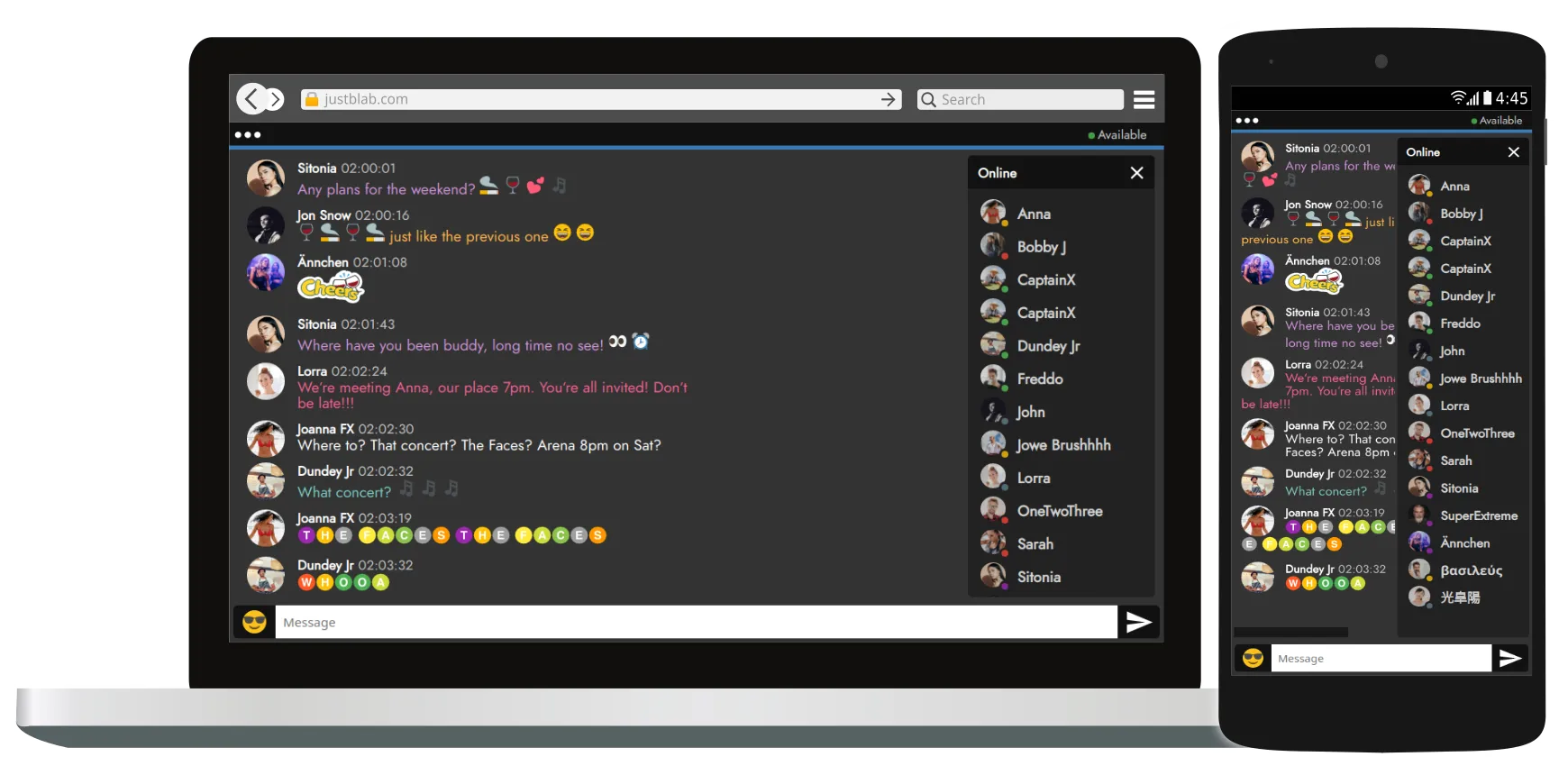
Free realtime group chat system (chat client & websocket service) based on websockets. Both client app and Admin CP are with responsive design, HTML5 and CSS3 compliant, support all modern browsers including all mobile browsers and HiDPI displays ready. The client side is written in PHP, HTML/CSS and JavaScript and using MySQL as a backend. The websocket service is a single Linux executable without dependencies.
Requirements
- A Linux based server (VPS) with Apache/Nginx, PHP5/PHP7/PHP8 and MySQL/MariaDB in working state.
- Access to that server via SSH as a root user or as a user with sudo privileges.
- Some basic knowledge about Linux and some basic terminal skills: running commands, editing files.
- Supported distros: Debian 8 Jessie+ / Ubuntu 16.04+ / RHEL 7+ / CentOS 7+ / Fedora
Features
- Supports any desktop/mobile browser including Microsoft Internet Explorer 11
- PHP5/PHP7/PHP8 compatible: no PHP errors, warnings or notices
- HTML5 and CSS3 compliant - no errors and warnings in Browser Console
- Native code only - no frameworks or external libraries
- Blazingly fast and responsive even on old low-end smartphones and tablets
- HiRes/Retina displays ready with no raster images
- 100% resizable layout, you can run it fullscreen or in iframes as small as 360x360px
- Registration system allowing 'guest' users
- Innovative method to reset forgotten passwords without sending emails
- Predefined mottos, users can put their own one-line motto instead
- A set of avatars to pick from or upload an image/photo
- Online status: Online, Away, Occupied, Unavailable, DND
- Rooms - separate chat spaces. Every chatter is connected to all the rooms and receives any message posted in any room with a visual notification and a different sound notification for messages posted in background rooms
- Private one-2-one chats inside the main chat window
- Admin can kick and ban users and IP addresses
- Material icons, EmojiOne emoticons, native emojis & stickers
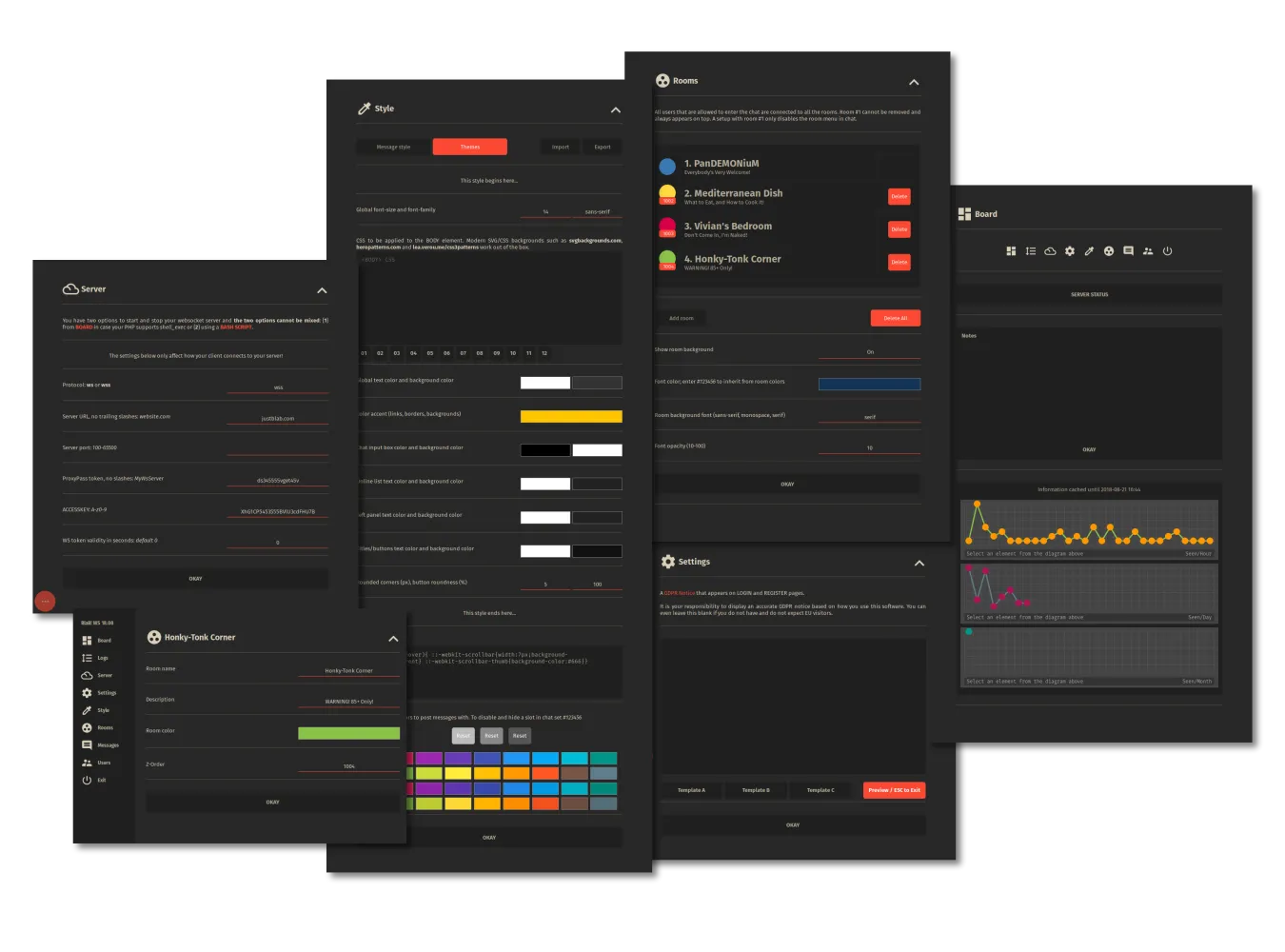
- Colorful predefined themes; option to create your own in seconds
- Your own prebuilt PWA App that works on desktop and mobile
- Ignore option - chatters can choose to hide messages from other chatters
- Stealth users - invisible in chat; do not appear in logs
- Sound notifications on (1) new messages, (2) enter/leave, (3) messages in background, (4) PM
- Language & timezone settings per user
- Splash page - a front page with a chat widget (who is online, statistics etc) and links to login/register pages
- UTF-8 multilanguage support incl. usernames with non-Latin letters
- Frontend translated in العربية, 🇨🇳 汉语, 🇨🇿 Čeština, 🇩🇰 Dansk, 🇩🇪 Deutsch, 🇬🇷 Ελληνικά, 🇬🇧 English, 🇪🇸 Español, 🇫🇷 Français, 🇮🇩 bahasa Indonesia, 🇮🇹 Italiano, 🇭🇺 Magyar, 🇳🇱 Nederlands, 🇵🇱 Polski, 🇧🇷 Português-BR, 🇷🇴 Română, 🇷🇺 Русский, 🇦🇱 Shqip, 🇸🇪 Svenska, 🇹🇷 Türkçe
- Widgets - display information such as users online, latest visitors, top10 chatters on external pages
- Mobile friendly Admin CP with WEBSOCKET STATUS, start/stop websocket service option, settings, logs, user management, themes

- ESC-centric - the ESC key closes any element that is on top and opens the main panel in chat and in Admin CP.
- On mobile, a swipe from the left edge opens the main panel in chat and the menu in Admin CP.
- Users can scroll with arrow keys, mouse wheel and by dragging.
- A double click swaps between select mode and drag to scroll mode
- CTRL+SHIFT+1 CTRL+SHIFT+2 ... CTRL+SHIFT+9 switches to rooms 1-9
- CTRL+SHIFT+L/R arrows cycles between rooms
Preview / Documentation
Downloads
- Download blabws-server 26.05 {64 bit}
- Download BlaB! WS {client} 26.02 (FULL PACK) (2026-Feb-01)
- Download BlaB! WS {client} 26.02 (UPDATE ONLY!) (2026-Feb-01)
- Download emoticon packs - Unzip and replace emocodes.php and emoticons.css in the main chat folder. To avoid loading a cached CSS file uncache from Admin CP » Settings


- Download sticker packs - Unzip and upload in a separate folder(s) under chat//stickers.
All stickers are editable with Inkscape - Youtube video: How to create your own chat stickers with Inkscape






Page updated: 2026-05-22
